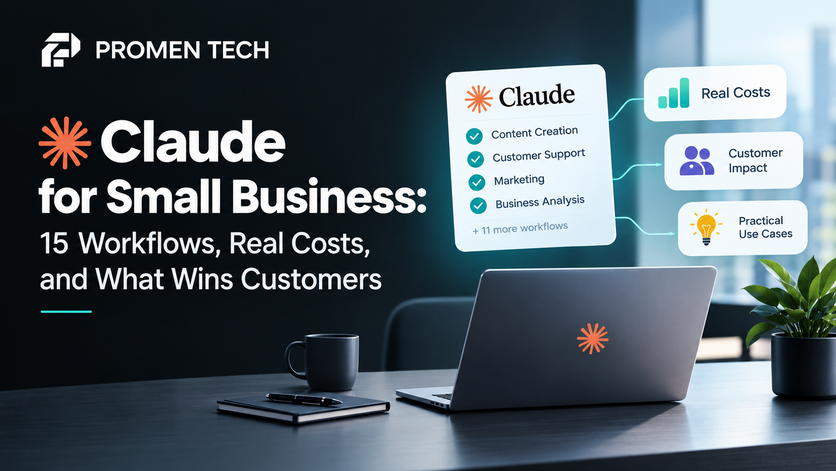

That is the honest summary of Claude for Small Business, Anthropic's toolkit for owners. It is useful for the work that piles up after hours. It is also easy to overestimate, and the pricing has more moving parts than the launch headlines suggest.
Interest is high. Ahrefs data shows about 2,400 US searches a month for "claude for small business." This guide covers what it does, what it really costs, and which workflows help you win customers.
Quick answer: Claude for Small Business is a plugin inside Claude's Cowork desktop app. It adds 15 ready-made workflows for finance, sales, customer service, and reporting, and you approve everything before it sends, posts, or pays. Anthropic lists no separate price for it. You need a paid Claude plan, starting at $17 a month on annual billing.
What Is Claude for Small Business?
Claude for Small Business is a plugin for Claude Cowork, the desktop app where Claude works across your files and connected tools. Anthropic launched it in May 2026. According to its install guide, you need the Claude desktop app on a Pro, Max, Team, or Enterprise plan.
Think of it as a starter kit for owners who want Claude for business tasks without writing prompts from scratch. It ships with ready-made skills for the jobs owners say eat their week. By default, those skills read from QuickBooks, PayPal, HubSpot, Canva, and Gmail, and you can point them at other accounting, payment, or CRM tools instead. If you have searched for a Claude HubSpot integration, a Claude QuickBooks connector, or the Claude small business plugin, this is the packaged answer to all three.
What Does Claude for Small Business Cost?
Claude for small business pricing is really plan pricing. Anthropic lists no separate fee for the plugin, so you pay for the Claude plan underneath it. These are the plans that include Cowork, based on Anthropic's pricing page.
| Plan | Price | Best fit | Worth knowing |
| Pro | $17 a month billed annually ($200 up front), or $20 monthly | One owner | Usage limits apply |
| Max | From $100 a month | One heavy daily user | 5x or 20x the usage of Pro, billed monthly |
| Team Standard | $20 per seat a month billed annually, or $25 monthly | Businesses with 2 to 150 people | Admin controls and central billing |
| Team Premium | $100 per seat a month billed annually, or $125 monthly | Heavy users on a team | 5x the usage of a standard seat |
Prices are from October 2026 and can change.
For one person, Pro is the sensible start. For a team, Team Standard adds shared admin tools.
The plan price is not the full bill. Every plan has usage limits that reset on a rolling five-hour window, and paid plans add weekly limits on top. When you hit them, you can wait or buy usage credits at standard API rates. Some workflows also lean on features inside the connected tool. The install guide warns that generating designs or staging sends may need a higher tier in that tool.
One more change to watch. Anthropic's pricing page says Cowork is becoming part of Claude itself, starting with Pro and Max. Menu names may shift over the coming weeks.
The 15 Workflows at a Glance
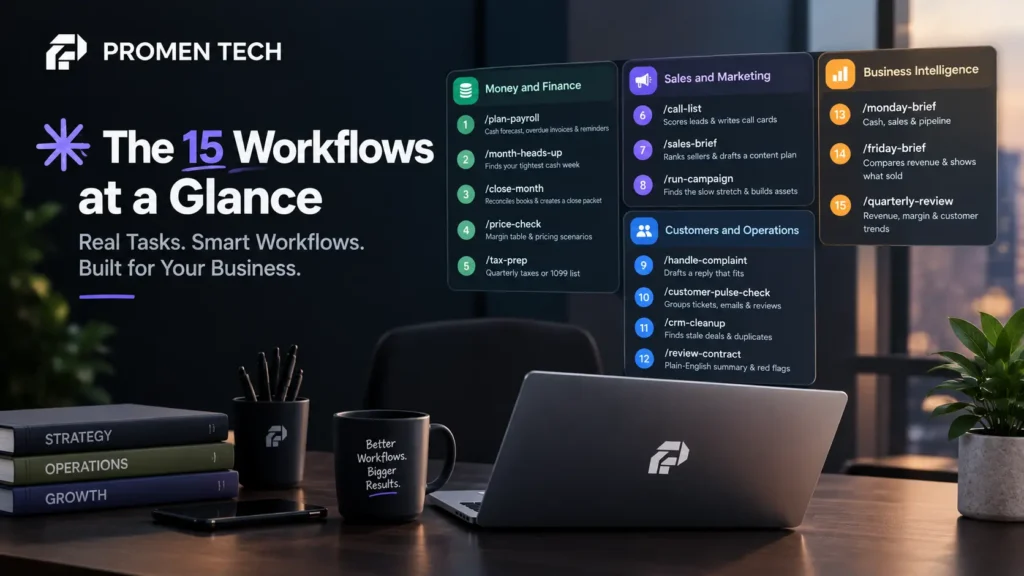
The install guide lists 15 workflows. Each one is a slash command in Cowork, such as /plan-payroll, that runs one or more skills behind the scenes. You can also describe a job in plain English, and Claude picks the right one. Think of them as the Claude Cowork use cases Anthropic packaged first for owners.
| Area | Command | What it does |
| Money and finance | /plan-payroll |
Builds a 30-day cash forecast, ranks overdue invoices, and drafts reminders |
| Money and finance | /month-heads-up |
Finds your tightest cash week in the next 30 days |
| Money and finance | /close-month |
Reconciles your books and writes a close packet for your accountant |
| Money and finance | /price-check |
Builds a margin table and pricing scenarios with break-even math |
| Money and finance | /tax-prep |
Calculates quarterly estimated taxes or builds a year-end 1099 list |
| Sales and marketing | /call-list |
Scores leads on engagement, fit, and urgency, then writes call cards |
| Sales and marketing | /sales-brief |
Ranks top and bottom sellers and drafts a content plan |
| Sales and marketing | /run-campaign |
Finds the slow stretch, drafts the offer, builds assets, and stages the send |
| Customers and operations | /handle-complaint |
Reads a customer email and drafts a reply that fits |
| Customers and operations | /customer-pulse-check |
Groups disputes, tickets, emails, and reviews into themes |
| Customers and operations | /crm-cleanup |
Finds stale deals, duplicates, and missing fields |
| Customers and operations | /review-contract |
Writes a plain-English summary, red-flag list and redline |
| Business intelligence | /monday-brief |
One page to start the week: cash, sales and pipeline |
| Business intelligence | /friday-brief |
Compares revenue with last week and shows what sold |
| Business intelligence | /quarterly-review |
Writes a story of revenue, margin, and customer trends |
Source: Anthropic's install guide, October 2026.
Two more skills round out the plugin. A job post builder drafts the post, an interview guide and an offer letter template. A setup skill learns your business and saves that context for every other skill.

Six Workflows That Help You Win Customers
Most of the 15 look inward at cash, taxes, and reporting. Six connect to your leads and customers.
Find the leads worth a call
/call-list scores your HubSpot leads and writes a short call card for the top ones. /crm-cleanup finds stale deals, duplicate contacts, and missing fields, and shows what it found before it changes anything. Together they fix a common leak: good leads sitting unanswered in a messy CRM.
Plan promotions that fill slow weeks
/sales-brief ranks your best and worst sellers and drafts a content plan that pushes the winners. /run-campaign goes further. It reads your sales history, finds the slow stretch, drafts the offer, builds the assets in Canva, and stages the send. If you want Claude for marketing, this is the workflow to try first.
Keep the customers you already have
/handle-complaint reads a customer email, looks up the order and history, and drafts a reply. /customer-pulse-check groups disputes, tickets, emails, and reviews into themes, with a draft response for each. That gives you a short list of problems worth fixing first.
One habit from Anthropic's guide is worth copying. Before you approve any draft, check one line against records you already trust.
Claude can draft a reply to a lead, but nothing reaches that lead until you approve it. A custom AI chatbot answers questions, qualifies leads, and books calls around the clock. See how Promen Tech's AI chatbot works, and request a free demo.
What Claude for Small Business Won't Do
It will not talk to your website visitors in real time. The workflows draft and stage, and nothing sends until you say so. That is a good safety rule. It also means a visitor with a question at night gets nothing live from Claude.
It will not get you found. None of the 15 workflows touches how customers discover your business, including when they ask an AI assistant who to hire. More buyers now ask tools like ChatGPT, Gemini, Perplexity, and Claude for recommendations. If your business is missing from those answers, no invoice chaser fixes it. That is the job of AI SEO.
It will not replace your professionals. The close packet is built to forward to your accountant. Anthropic's guide is clear that calls on pricing, contracts, and tax stay with you and your advisers.
Not sure whether AI assistants recommend your business today? Run the check in our guide, Free AI Visibility Checker: Is ChatGPT Recommending Your Business? It takes about ten minutes to read.
Is Your Business Data Safe with Claude?
The design leans on control. You approve before anything sends, posts, or pays. Claude reads only what your account in each tool can already read. If an employee cannot see a record in QuickBooks, they cannot see it through Claude either.
Training is where plans differ. Anthropic's pricing page lists model training as none by default on Team and Enterprise plans, and as an opt-out on Free, Pro, and Max. Solo owners on Pro should check their privacy settings before they connect financial data.
How to Start in 15 Minutes
Anthropic rates its own tutorial at about 15 minutes. Here is the short version.
- Open the Claude desktop app on a paid plan, go to Cowork, and click Customize in the left sidebar.
- Under Plugins, click the plus sign, find Small Business, and click Install.
- Run the setup skill so Claude learns what you sell, who works with you, and what is hardest right now.
- Connect one tool first, such as QuickBooks or HubSpot.
- Run one job where you already know roughly what the answer should be, such as which invoices are overdue. Check one line against your records before you approve.
Add more workflows only after the first one earns your trust. If the menus look different, look for Cowork inside the main Claude app, since Anthropic is merging the two.
Get Found by the Customers Claude Can't Reach: Book a Free Growth Audit
This toolkit is a strong back-office helper. It works on the leads you already have and the customers you already serve. Growth also depends on buyers who have never heard of you, and many of them now start with an AI assistant.
That is where Promen Tech comes in. We help businesses get recommended in AI answers, and we build chatbots that turn visitors into booked calls. Book your free 30-minute growth audit, and we will show you where you stand today.
Frequently Asked Questions
1. Is Claude for Small Business free?
The plugin has no separate price, but it needs a paid Claude plan. That starts at $17 a month on annual billing for Pro, or $20 per seat a month on annual billing for Team.
2. Which Claude plan do I need for Claude for Small Business?
Pro suits one person. Team suits two or more people and adds admin controls. Max is for one heavy daily user who keeps hitting Pro's usage limits.
3. Do I need QuickBooks or HubSpot to use it?
No. The default tools are QuickBooks, PayPal, HubSpot, Canva, and Gmail, but you can point skills at other tools. The contract review skill works from an uploaded file, and the setup and job post skills need no connector.
4. Can Claude for Small Business answer customers on my website?
Not in real time. Its workflows draft and stage work, and nothing sends without your approval. A website chatbot handles live visitors, answers questions, and books calls.
5. Is my business data used to train Claude?
Anthropic's pricing page lists model training as none by default on Team and Enterprise plans, and as an opt-out on Free, Pro, and Max. Claude also reads only what your account in each tool can already see.
6. Which AI is best for small business owners?
The best one connects to the tools you already use and fits your budget. Test any assistant on one real task, such as chasing overdue invoices, before you commit.